
OpenStudioHub: Scaling Open-Source Pipelines with Kitsu and Blender

The Blender Studio Tools vs. Real-World Pipeline Friction
Blender Studio set a historic milestone in open-source animation and visual effects production. Through open movie initiatives—most recently Overgrown—their core developers and lead artists sit in the exact same hallway. That physical proximity birthed Blender Studio Tools: deeply integrated, efficient utilities engineered directly alongside the core Blender codebase.
That special situation reveals a hidden structural vulnerability for the rest of the industry: Tool Friction outside the studio.
Inside Blender Studio, if an artist hits a pipeline bottleneck, a core developer sits next to them to fix it immediately. For external/independent technical directors (TDs) or studios migrating from commercial software, deploying these tools with only official documentation creates a steep learning curve.
Introducing OpenStudioHub: Open-Source Pipeline Automation
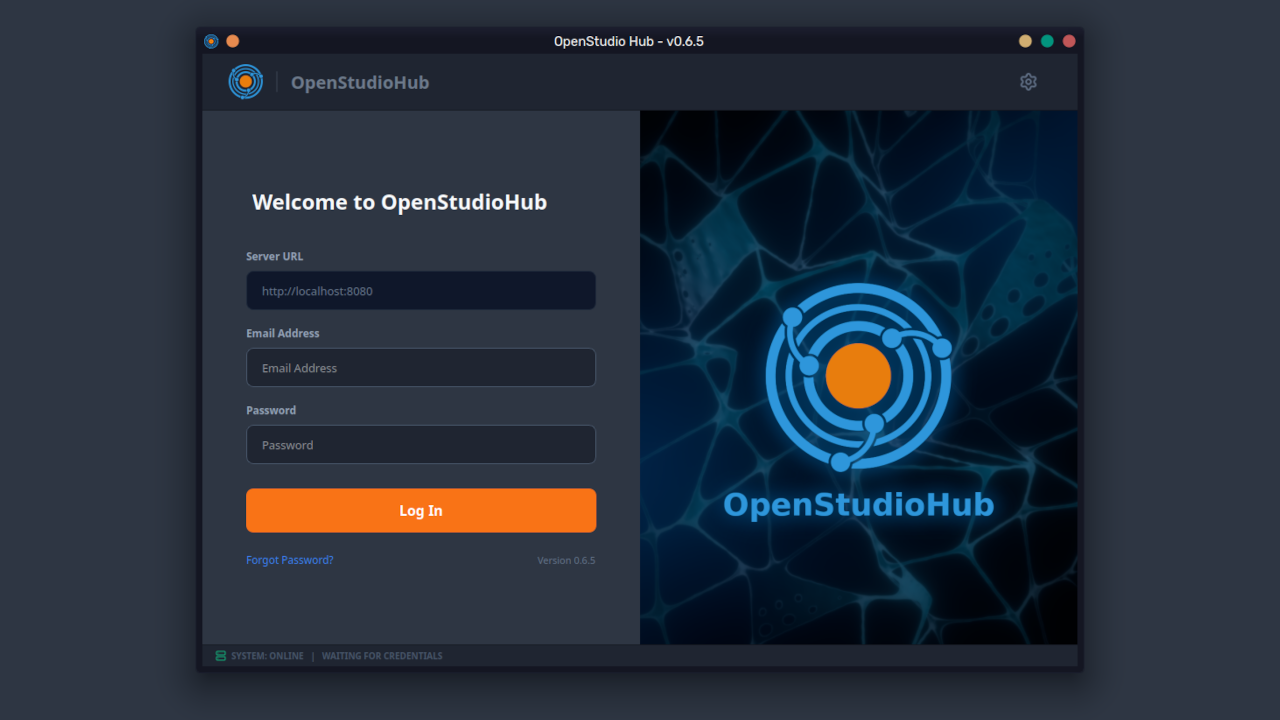
OpenStudioHub simplifies Blender Studio’s internal technical infrastructure. It strips away environment setup friction and automates Blender Studio Tools integration for small, medium, and transitioning production teams.
Built as free open-source software under the GPL v3.0 license, OpenStudioHub provides Pipeline TDs total flexibility to fork, customize, and extend the codebase to match specific production topologies.
Core Stack & Compatibility Requirements (v0.6.5)
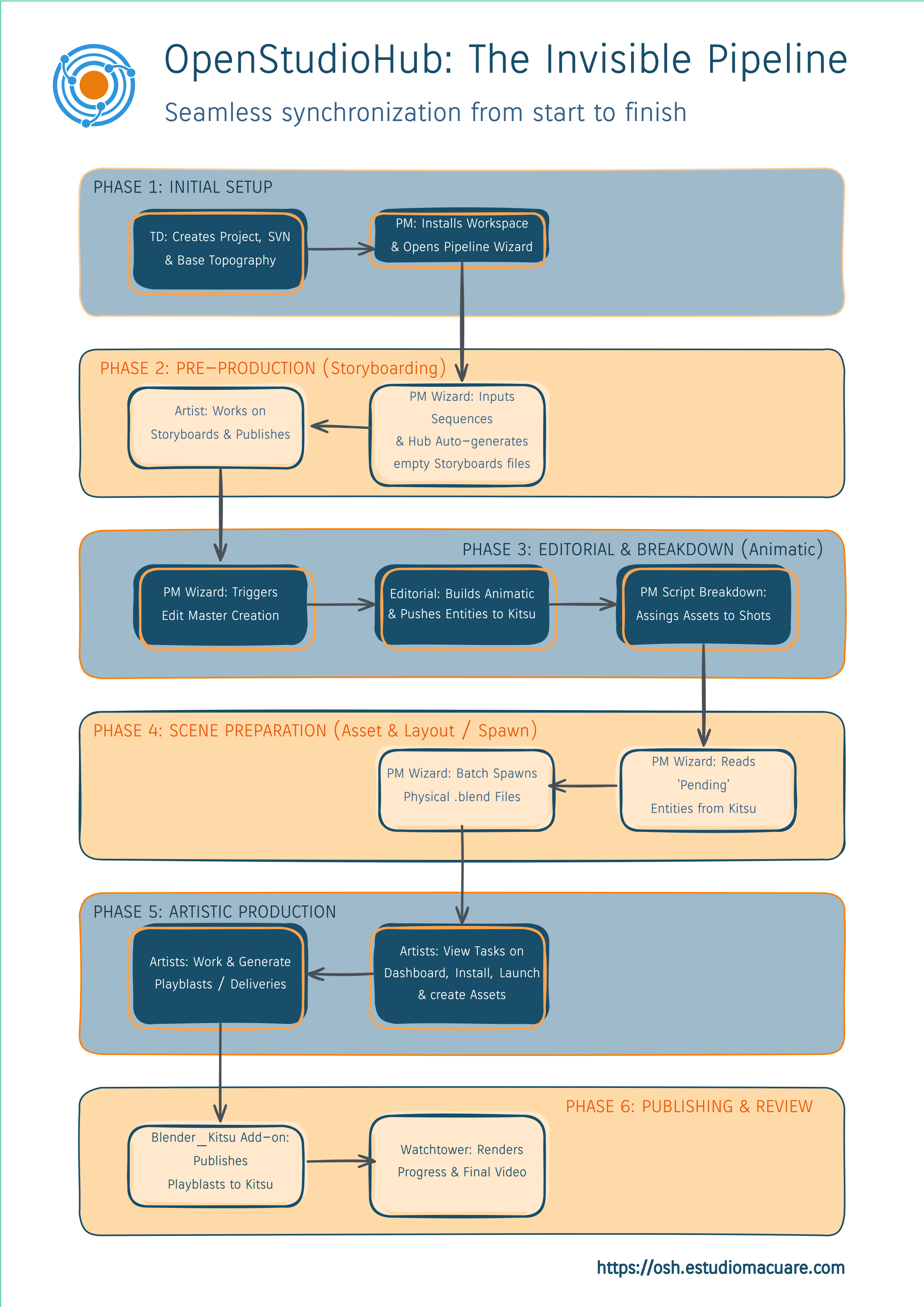
To deploy this automated ecosystem across your team, here are the core components and dependencies:
- Core Native Stack: Full compatibility with Blender, Kitsu, and the official Blender Studio Tools suite.
- Version Control Server: Mandatory connection to an SVN/Subversion server (Future Git-LFS support).
- Storage Infrastructure: Compatible with local NAS arrays and cloud sync protocols (
Nextcloud,Owncloud,Dropbox,Google Drive,Syncthing, etc.).
Technical Description of OpenStudioHub: Minimizing Data Bureaucracy
Version 0.6.5 delivers an automated environment designed to minimize human error and administrative drag. The goal: immediate artist onboarding into clean, correctly configured production environments.
1. Artist Dashboard & Direct Kitsu Integration
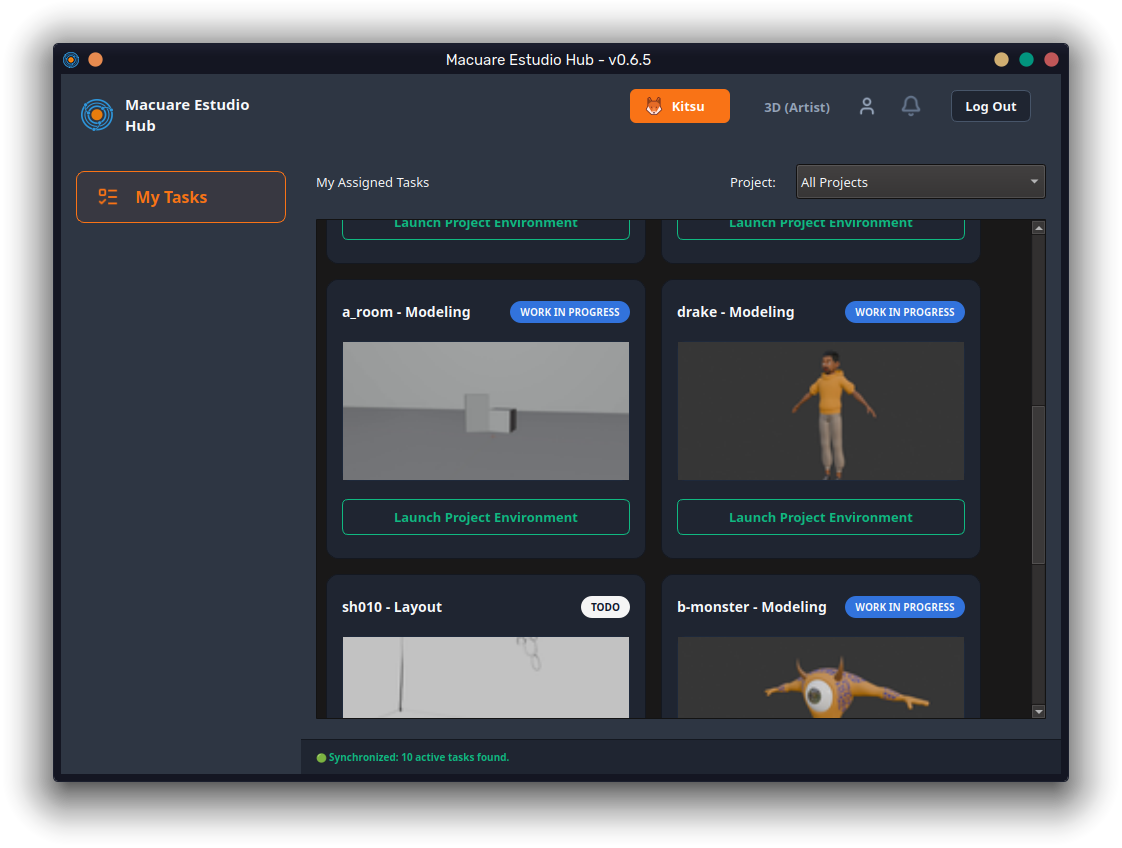
OpenStudioHub does not replace Kitsu (powered by the Zou REST API engine). While Kitsu is an exceptional management platform, its web UI introduces daily interaction friction for artists: opening a browser, authenticating, navigating projects, locating My Tasks, opening sub-menus, and parsing comments.
OpenStudioHub acts as a zero-friction desktop bridge:
- Visual-First Layout: Eye-catching thumbnails for instant task identification.
- Zero Noise: An isolated interface displaying active task status, assignments, and relevant feedback threads without web browser clutter.
- Studio Customization: Custom branding options (logo, studio name, dedicated server endpoints) native to your corporate identity.
2. One-Click Automated Blender Execution
Ensuring an entire studio uses identical add-on versions and environment variable paths is a constant TD headache. OpenStudioHub reduces execution to a single click: "Open Task."
The backend handles environment orchestration:
- Launches the exact Blender binary tagged for that specific production.
- Mounts and opens the latest task scene file.
- Automated Addon Alignment: Injects required environment variables and loads task-specific add-ons dynamically, isolating the environment with zero global OS pollution.
3. OpenStudio Toolkit: Extending Blender Studio Tools
To connect production tracking with the DCC viewport, we created OpenStudio Toolkit, an internal add-on designed to remove interaction drag:
- Automated Kitsu Synchronization: Direct hooks into Blender's asset pipeline metadata. It will push task progress, renders, and updates status flags in Kitsu directly from the viewport.
- Concurrent Multi-User Workflows: It will enable parallel asset iteration across modeling, rigging, and texturing on shared asset builds thanks to the Asset Pipeline addon from Blender Studio Tools.
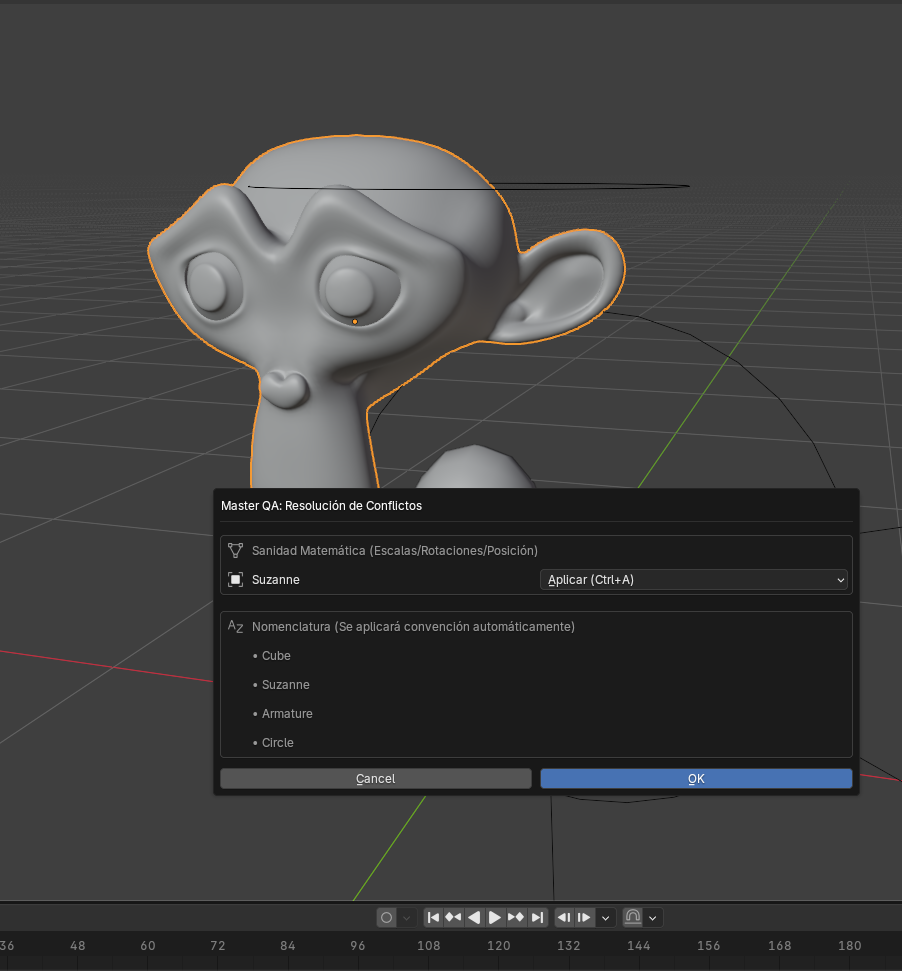
- Extended Pre-flight Sanity Checks: Extends the official
blender-logadd-on (which cleans critical file categories). To prevent junior artist errors (naming discrepancies or broken linked libraries), our Toolkit executes exhaustive pre-flight audits before files commit to the version control pipeline.
4. Freelancer Isolation & Integrated Telemetry
Distributed production requires strict data access boundaries and integrated monitoring:
- Vendor Mode for External Contractors: Tagging external artists as vendors inside Kitsu forces the Hub to read access constraints and selectively pull only the specific dependencies needed for the assigned task. Local disk storage stays protected, and payload transfer times drop.
- Native WatchTower Monitoring: Integrates WatchTower (production analytics dashboard). Supervisors and TDs inspect real-time production state with an ephemeral server.
Roadmap to Version 1.0: Intelligent Automation and Pipeline Integrity
Our engineering trajectory toward v1.0 establishes a battle-tested infrastructure for production environments.
Key milestones focus on deterministic LLM integration—governed strictly by an assistance-first design philosophy—paired with telemetry and disaster recovery engines.
1. LLM Integration Philosophy: Real Technical Assistance, Zero Replacement
We do not use LLMs to replace human artistic judgment. We treat them as technical micro-assistants for repetitive, friction-heavy administrative tasks.
Security is enforced at the network boundary: all LLM traffic routes through an internal proxy server communicating with remote commercial APIs or local private models (e.g., self-hosted LLMs).
We are currently validating two experimental utilities:
- Semantic Naming Auditor: Automatically detects messy scenes containing
Cube.001orCylinder.004. It cross-references current task metadata to suggest semantic naming conventions and raises pipeline alerts (e.g., warning if rigging elements exist inside a clean modeling task). - LLM Scribe (Automated Commit Logs): Artists routinely write useless commit messages in
SVNorGit LFS. LLM Scribe periodically inspects Blender's localUndo Stack(user action history) to infer scene changes, automatically generating descriptive commit proposals prior to version upload.
2. Non-Intrusive Telemetry & Automated Timesheets
Manual time-tracking destroys creative flow. OpenStudioHub implements lightweight telemetry designed exclusively to track active viewport interactions versus idle time.
- Zero Surveillance: No screen capture, no keylogging. Complete artist privacy.
- Backend Timesheet Automation: Generates exact timesheet entries directly in
Kitsuby evaluating real production interaction windows, delivering accurate data for bid estimation and schedule forecasting.
3. Enterprise Disaster Recovery Engine
Data integrity is non-negotiable. OpenStudioHub implements a Two-Tier Automated Backup system managed directly at the server level:
- Cold Storage (Amazon S3): Encrypted offsite backups for catastrophic disaster recovery.
- Local NAS Synchronization: Automated periodic pulls to local studio NAS arrays, guaranteeing immediate physical access to complete production archives.
4. Simplified Flamenco Integration & Infrastructure Setup
Flamenco (Blender's official render farm manager) is fast, but initial node provisioning can be cumbersome. OpenStudioHub provides native setup assistants for render farm nodes and central manager instances.
Additionally, initial pipeline setup is automated via deployment scripts covering SVN, Git LFS, and studio NAS storage topologies.
Open-Source Architecture: GPL v3.0 Licensing
Blender's core ethos is democratizing 3D production. OpenStudioHub shares that exact DNA.
Our codebase is, and will remain, 100% Free Open-Source Software released under the GNU General Public License v3.0 (GPL v3.0). Free, transparent, accessible forever.
Complete Transparency, Zero Paywalls
All features—including experimental LLM integrations—are unlocked by default:
- Bring Your Own API Keys: Configure LLM features using your own studio API keys or self-hosted local model endpoints.
- Native Ecosystem Integration: Designed as an extra arm for Blender. Adopting
GPL v3.0ensures architectural compliance with the open-source ecosystem.
Enterprise Support & Infrastructure Services
As studios scale, technical requirements shift from software access to operational stability. Large teams need guaranteed uptime, custom network topology configuration, and SLA backing.
We offer managed infrastructure subscriptions for studios delegating pipeline administration:
- Managed Pipeline Hosting: Deployment and maintenance of
Kitsu,WatchTower, andFlamencoon optimized production servers. - Version Control Administration: Complete setup, optimization, and management of
SVNandGit LFSrepositories. - Turnkey Infrastructure: Network proxy configuration, security isolation, and local
NASintegration ready for instant artist deployment.
The software remains free forever. For studios requiring production backing, custom network engineering, and guaranteed pipeline stability, our corporate support is ready.
Next Steps: Beta Testing Version 0.9.0 and Alignment with Overgrown
Version 0.6.5 established core pipeline stability. Our next milestone is the v0.9.0 Pre-Release for Official Beta Testing.
We invite Pipeline TDs, Technical Artists, and Studio CTOs to evaluate our infrastructure in real production environments.
Join the Beta Waitlist (Limited Seats)
Beta testers receive direct access to hosted sandbox environments pre-configured with Kitsu, WatchTower, and Flamenco. Test the full pipeline architecture without local server deployment.
Note for TDs: Server allocation limits beta capacity. Access is granted sequentially via our waitlist.
Long-Term Vision: Continuous Synchronization with Overgrown
Our development roadmap directly aligns with Overgrown, Blender Studio’s upcoming open feature film.
As Blender Studio solves feature-length pipeline challenges, our engineering team works in parallel to integrate those battle-tested tools into OpenStudioHub. Independent studios get immediate, zero-friction access to the same infrastructure driving Blender Studio's ambitious projects.
You can get OpenStudioHub right now from our GitHub repo.

Support and Enterprise Integration
OpenStudioHub is proudly open-source (GPL v3.0) and built for the community. We believe in accessible tools for studios of all sizes, but we also know that production environments require dedicated attention.
Here is how you can get involved or get help:
Support the Open-Source Development
If OpenStudioHub is helping your indie team save time and organize your pipeline, consider supporting our late-night coding sessions! Your contributions keep the core project free and actively maintained.
- Support us on Ko-fi: ko-fi.com/3dvm_dev
B2B Integration & Support
Implementing a new pipeline in an active studio can be daunting. We offer professional, hands-on integration services to tailor OpenStudioHub to your specific infrastructure.
- Custom Onboarding: Let our Production Management and Tech team set up your NAS, VPS, and artist sandboxes.
- Priority Support: Get direct technical assistance to ensure your studio's downtime is minimum.
Ready to upgrade your studio? Reach out to us at [email protected] to schedule a pipeline consultation.